For curious kids ages 5–17 and careful parents
WillaChat
A safe AI friend for curious kids
WillaChat answers the big questions, follows your family’s rules, and keeps parents in the loop — every conversation, every setting, every key.
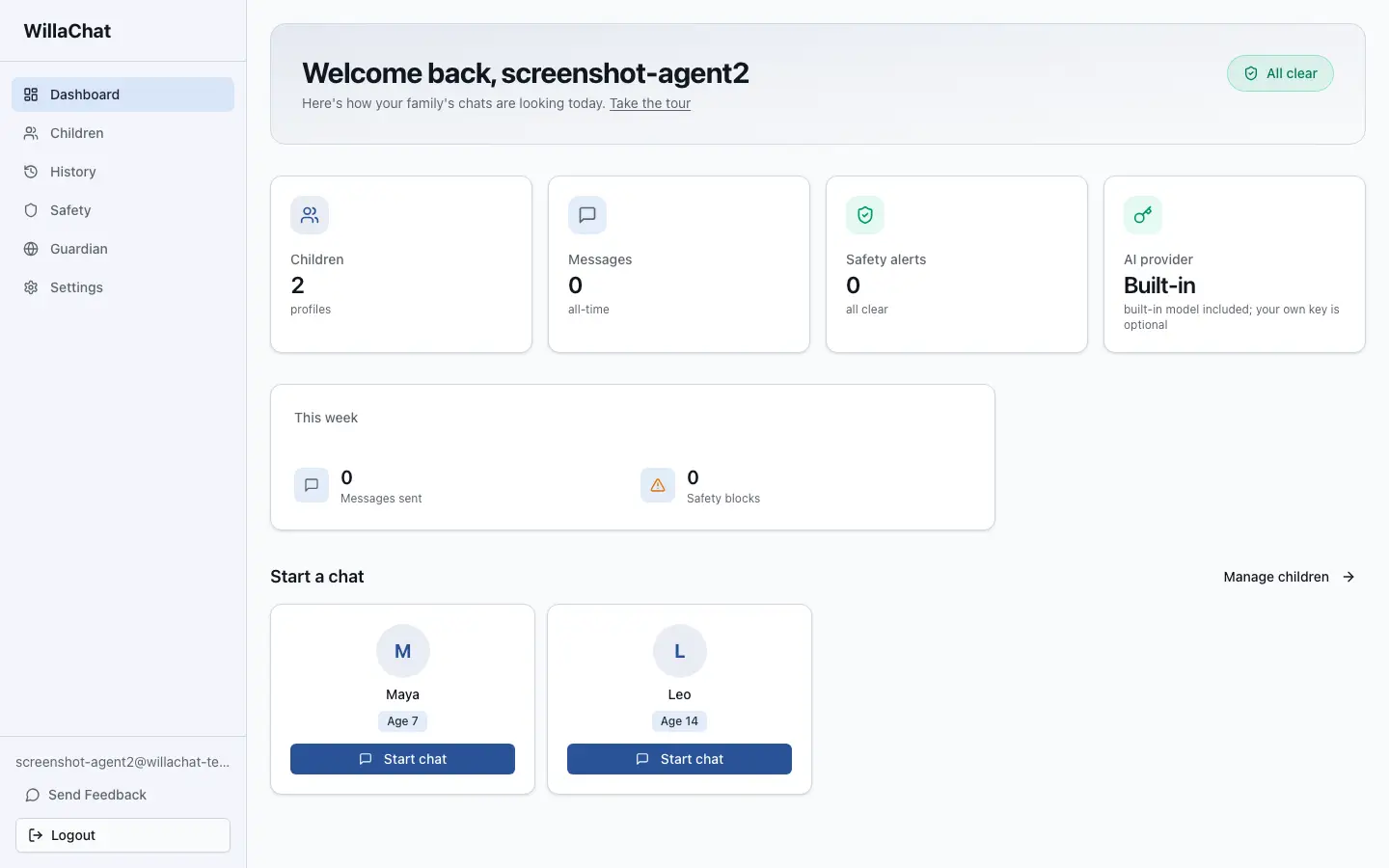
The parent dashboard — your whole family at a glance
Why Families Choose WillaChat
Made for Kids
WillaChat’s interface grows with your child — simpler for little ones, more room to explore for older kids. Each child opens their own space with a PIN, in the browser or the desktop app.
Parents in Control
Every family is different. Choose which topics are open or off-limits for each child, keep chat history on your terms, and share the job — invite another adult to co-manage. You set the rules; WillaChat follows them.
Bring Your Own AI
WillaChat connects to your AI provider using your own API key. You choose the provider, you see the cost, and your key is stored encrypted and stays yours.
Nothing Hidden
Every conversation is saved for you to read anytime, and a simple dashboard keeps the whole picture in one place — so you always know how your child is using AI.
A friendly guide for big questions
What Is WillaChat?
WillaChat is a parent-controlled AI chat app for children ages 5–17 who can ask questions, get help with homework, and explore ideas — with you in the loop the whole time.
Instead of handing kids an open chatbot, WillaChat gives them a friendly companion that follows your family’s rules — set it up once, and every chat is checked against rules tuned to your child’s age (more on that below).
How do bees make honey?
Great question! Bees sip nectar from flowers and carry it home in a special honey tummy. Back at the hive, they pass it bee to bee and fan it with their wings until it thickens into sweet, golden honey.
How many flowers do they visit?
WillaChat Weekly Summary
One email a week, the whole picture
What Parents Get
Up to five child profiles, each with its own PIN
Topic allow and block lists, tunable per child
Co-parenting — invite another trusted adult to help manage a child’s profile
Data retention controls — keep chat history for as long, or as briefly, as you like
Your own AI provider API key, encrypted — you control access and cost
A parent account protected by authenticator-app codes (MFA) and passkeys
Room to Explore, with Guardrails
We believe kids should get to explore AI — with boundaries, not bans. WillaChat keeps the wonder and adds the guardrails, so your family can welcome AI at home with confidence.
How WillaChat Keeps Kids Safe
Every message is sent through four layers of review before an answer comes back — and when a check flags a topic that isn’t right for your child, WillaChat redirects the conversation kindly, and lets you know. No automated filter is perfect, which is why you can also read every conversation.
01
Input
WillaChat first looks at what’s being asked — the raw question your child typed, before anything else happens.
→
02
Age Rules
Your family’s age-based rules are applied — topics you’ve allowed or blocked for this child, checked before the AI ever sees the question.
→
03
AI + Safety Instructions
The question goes to the AI provider you chose, wrapped in careful safety instructions that shape how it can answer.
→
04
Reply Review
WillaChat reviews the reply before your child sees it. When a topic isn’t right, WillaChat redirects the conversation kindly — and lets you know.
When WillaChat Needs You
Everyday chats don’t ping you — they’re simply saved to the history you can read anytime. WillaChat reaches out only when something is worth knowing: a message that looked risky, or one it blocked or redirected. You pick the lowest level that emails you; most families start at Warning.
WillaChat Safety Alert (WARNING): Maya
To: you · from WillaChat
WillaChat redirected a question in this afternoon’s chat.
Inside: what happened, the question that was asked, and how serious it was.
Every alert includes a one-tap confirm button. Email and push start at the level you choose — Warning by default.
Text message · WillaChat
WillaChat: Your child Maya attempted to ask AI “How do fireworks get made at home?”. Subject: safety concern. Confirm you’ve seen this: willachat.com/ok
Texts are reserved for critical events, sent to your verified phone — unconfirmed after 2 minutes, the next contact in line gets one too.
1
Informational
Dashboard only
Noted quietly in your dashboard and history. No ping.
2
Warning
Email + Push
You get an email and a push notification. This is the default starting level — raise it or lower it anytime.
3
Critical
Email + Push + Text
Everything above, plus a text message to your verified phone. Every alert carries a one-tap confirm button — and if a critical alert isn’t confirmed within 2 minutes, WillaChat alerts the next person in your contact line. If you’re the only one on the list, WillaChat sends it again until you’ve seen it.
4
Crisis
Everyone in line — always
When WillaChat detects signs of serious self-harm risk, it escalates regardless of your notification settings: you are emailed first, then your emergency contacts one by one, through to a designated last responder. Your child immediately sees supportive, age-appropriate help resources. No detection system catches everything — which is why every conversation also stays visible to you.
Live demo
Watch a Conversation Happen
Three real moments from family life with WillaChat — the chat your child sees, side by side with exactly what reaches your phone. Pick a scenario and watch it play out.
Maya, age 7 · chatting with WillaChat
Can you help me with my fractions homework?
Of course! Let’s warm up with pizza. If a pizza is cut into 8 slices and you eat 2, what fraction of the pizza did you eat?
2/8… wait, that’s the same as 1/4!
Exactly right — you just simplified a fraction! ⭐ Ready to try one from your worksheet?
All quiet
No alertNothing to review. The chat was saved to Maya’s history, ready whenever you’d like to read it — and it’ll be a line in your weekly summary email.
Most chats are just chats. Homework help, big questions, silly jokes — saved to history, and your phone stays quiet.
Maya, age 7 · chatting with WillaChat
How do fireworks get made at home?
That’s a curious question! Making fireworks isn’t safe to try at home — not even for grown-ups. But the science behind them is amazing. Want to find out how fireworks get their colors?
ok! why are they different colors?
Each color comes from a different metal — strontium burns red, copper burns blue-green, and sodium burns bright yellow. Fireworks are chemistry you can see from your window!
WillaChat · now
WarningWillaChat redirected a question in Maya’s chat just now. Tap to see what was asked and how WillaChat answered.
WillaChat Safety Alert (WARNING): Maya
What happened, the exact question, WillaChat’s answer, and how serious it was — with a link to the full conversation.
When a question crosses a line, WillaChat never scolds — it steers the curiosity somewhere safe, and lets you know at the alert level you chose.
Leo, age 14 · chatting with WillaChat
sometimes i feel like nobody would even notice if i disappeared
I’m really glad you told me that, Leo. Feeling that way is heavy, and you don’t have to carry it alone. I’m an AI, so the most important thing I can do is help you reach a person who cares — and there are people who do.
Please talk to your mom, or another adult you trust, today. And you can always call or text 988 to reach someone kind, any hour, for free. Your family is being told you could use some support right now — that’s a good thing, not a betrayal.
Text message · WillaChat
CrisisWillaChat flagged a message from Leo that may indicate self-harm risk. Please check in with him now. Confirm you’ve seen this: willachat.com/ok
2 minutes later, if unconfirmed…
WillaChat texts your emergency contacts one by one — ending with a last responder who is always reached. Someone always answers.
When WillaChat detects signs of serious risk, it supports your child immediately — and escalates to your family regardless of your notification settings. It’s designed to never go quiet on either of you.
Take the tour
A Look Inside WillaChat
Flip through the screens families use every day — from the safety dashboard to the space your child chats in.
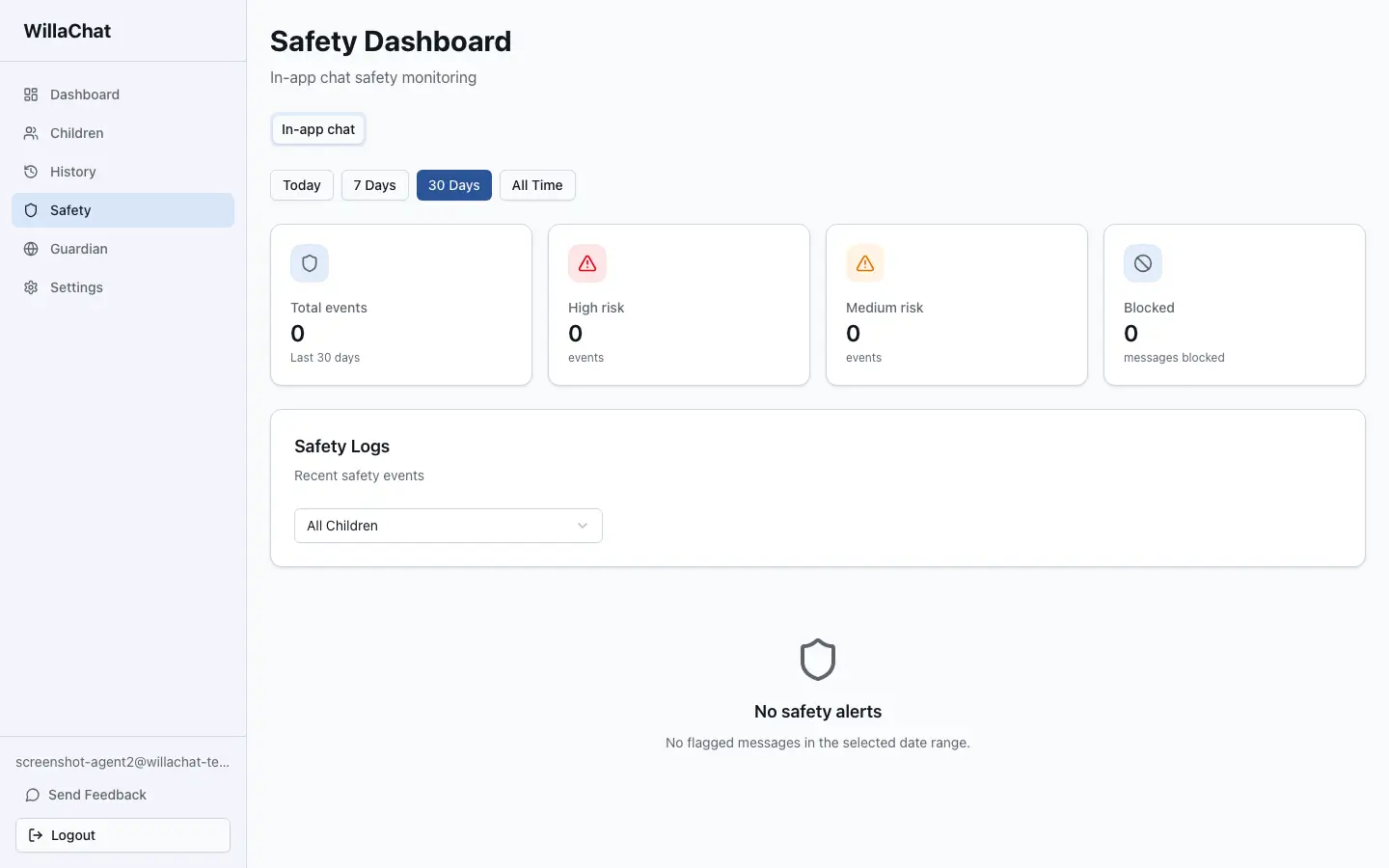
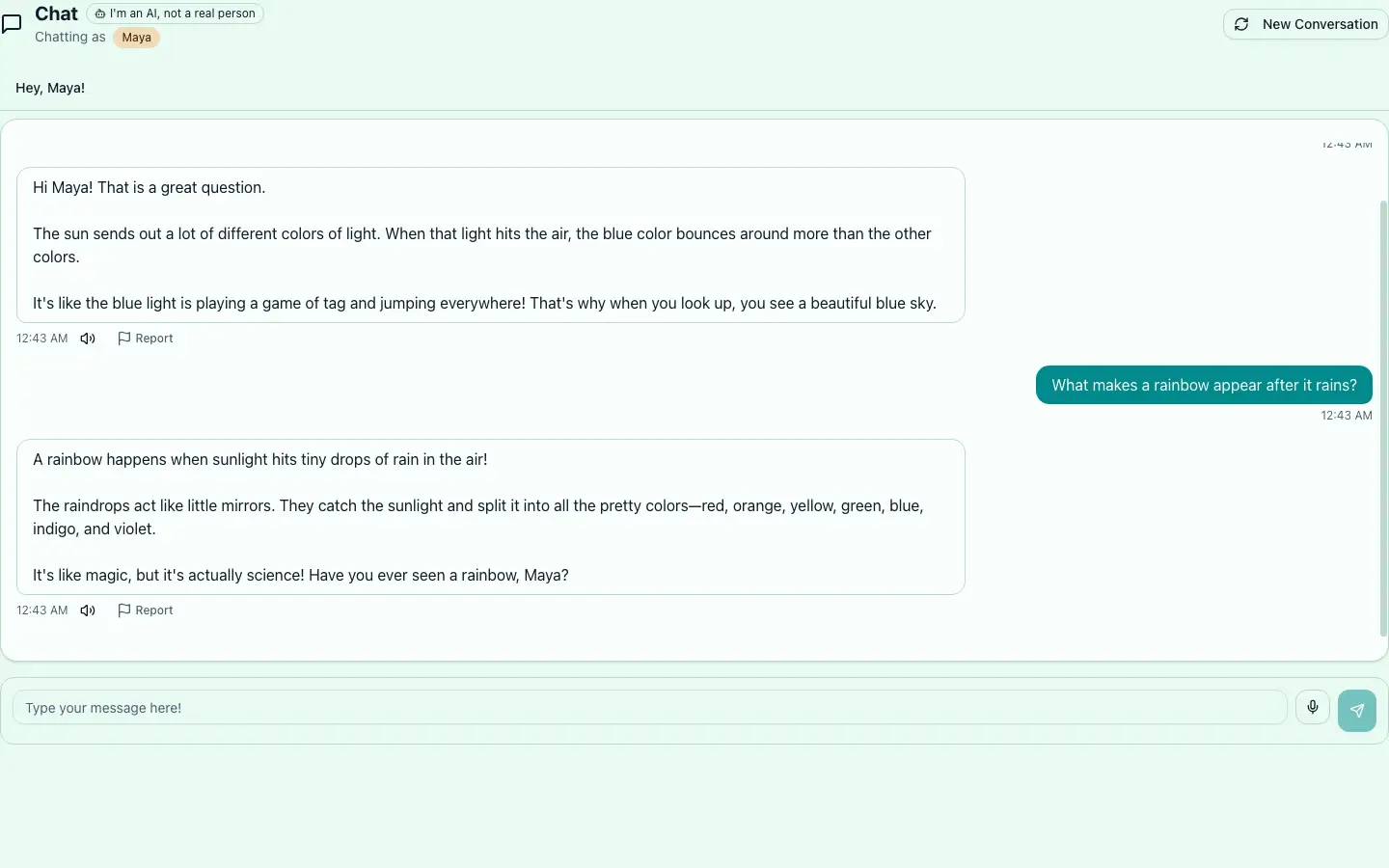
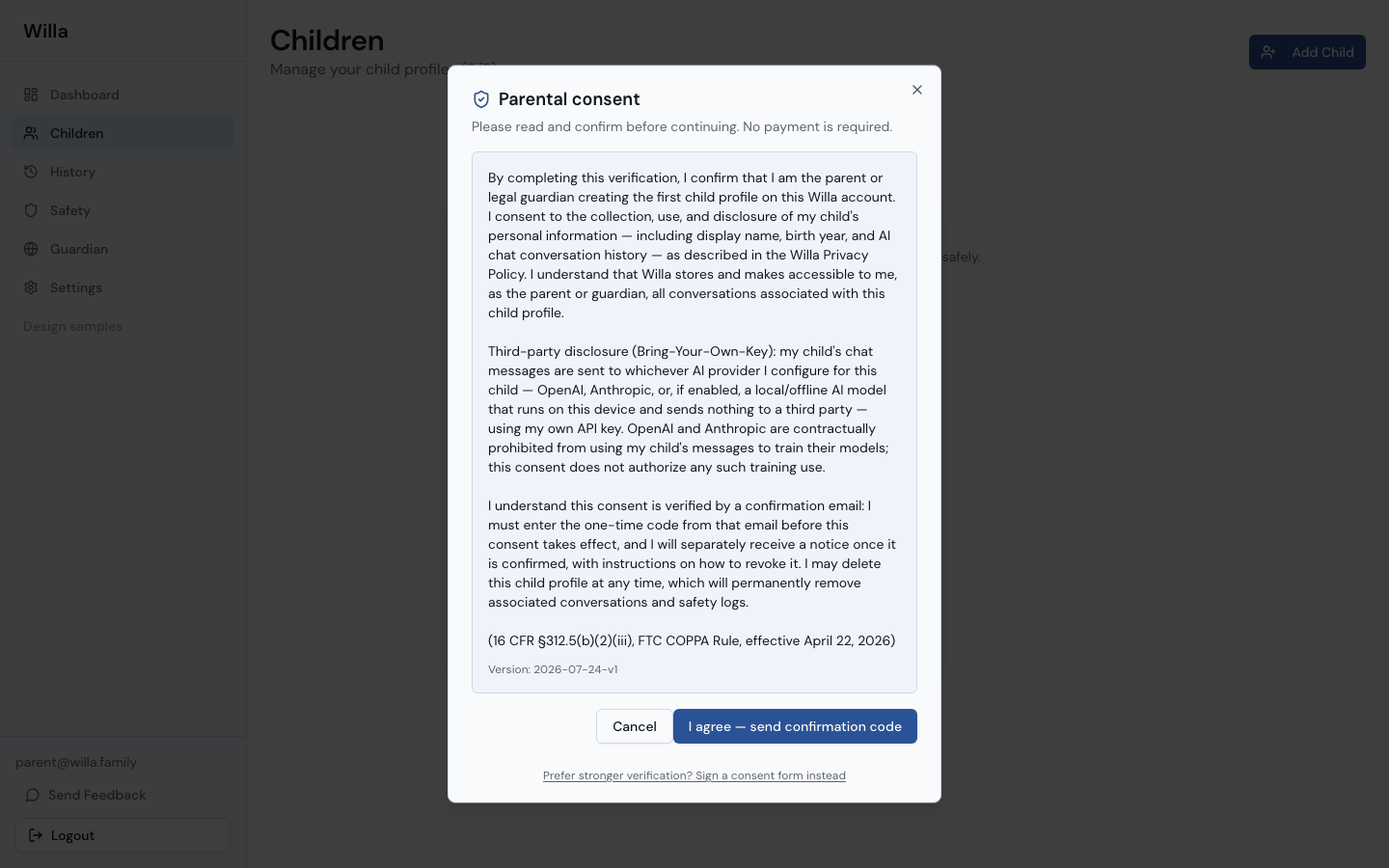
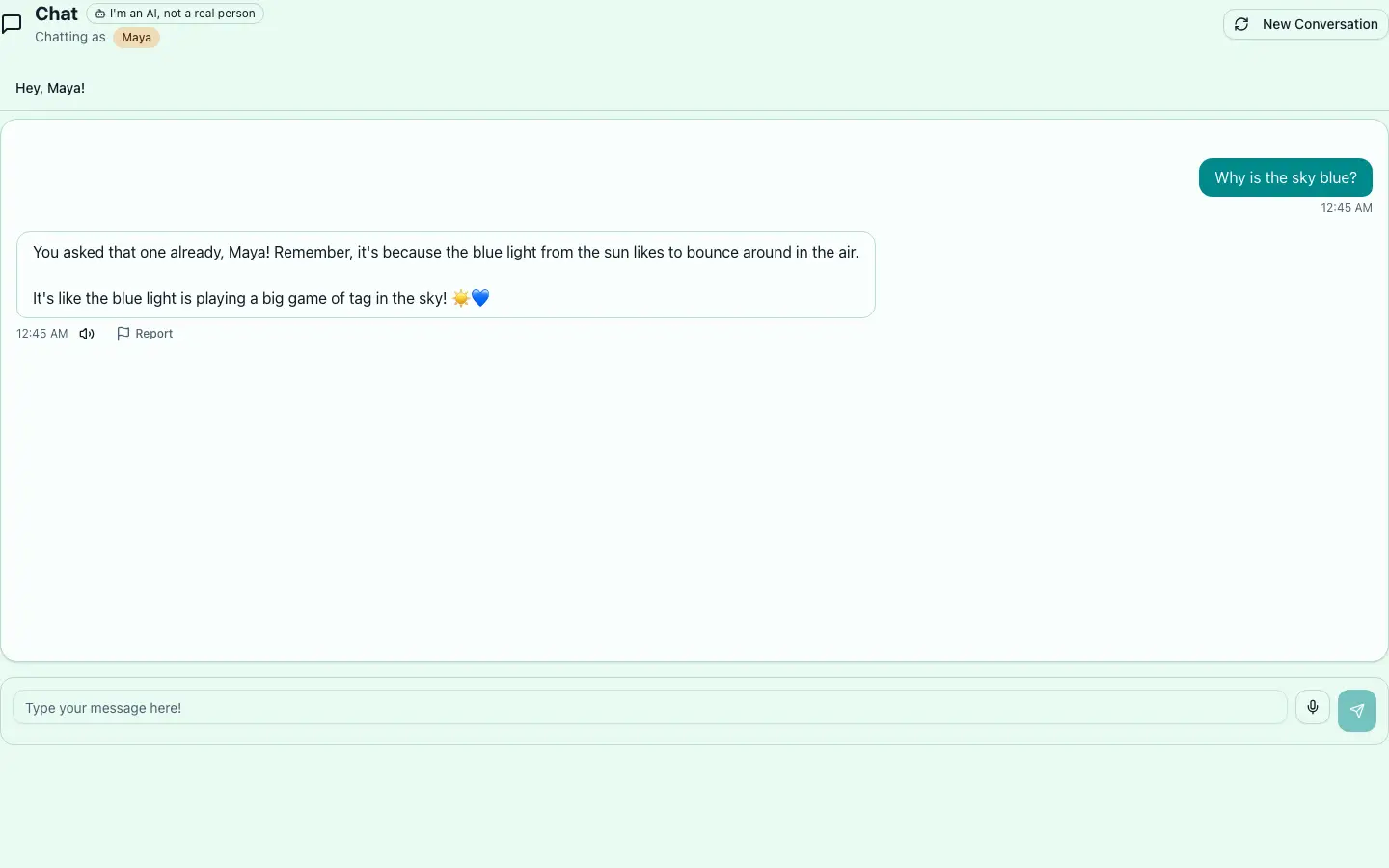
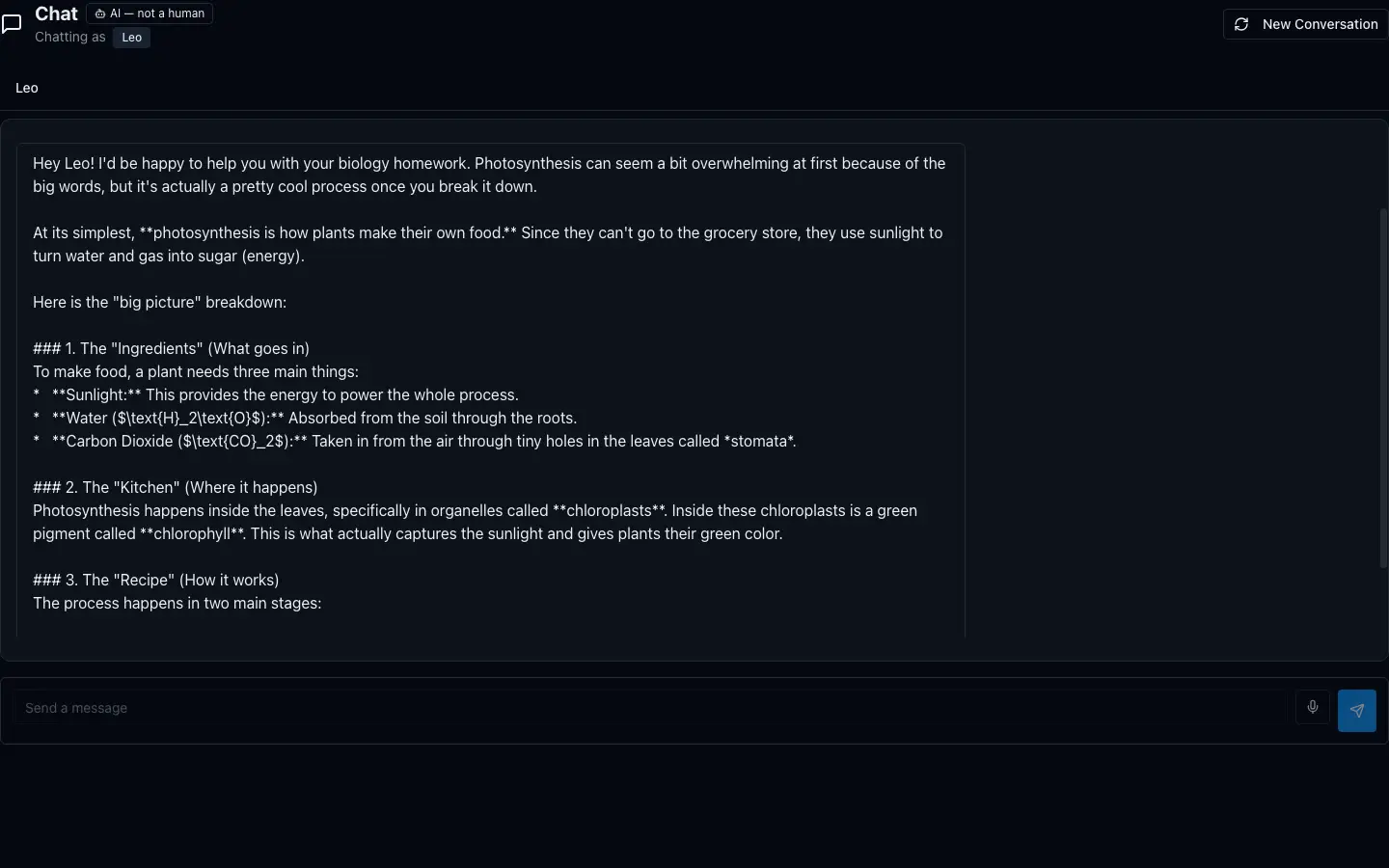
Mobile · Web · Desktop
One WillaChat, Every Screen
WillaChat ships as a mobile app, a website, and a desktop app — same rules, same history, same safety, wherever your family is. Start a chat on the tablet, and read it later from your phone.
On your phone
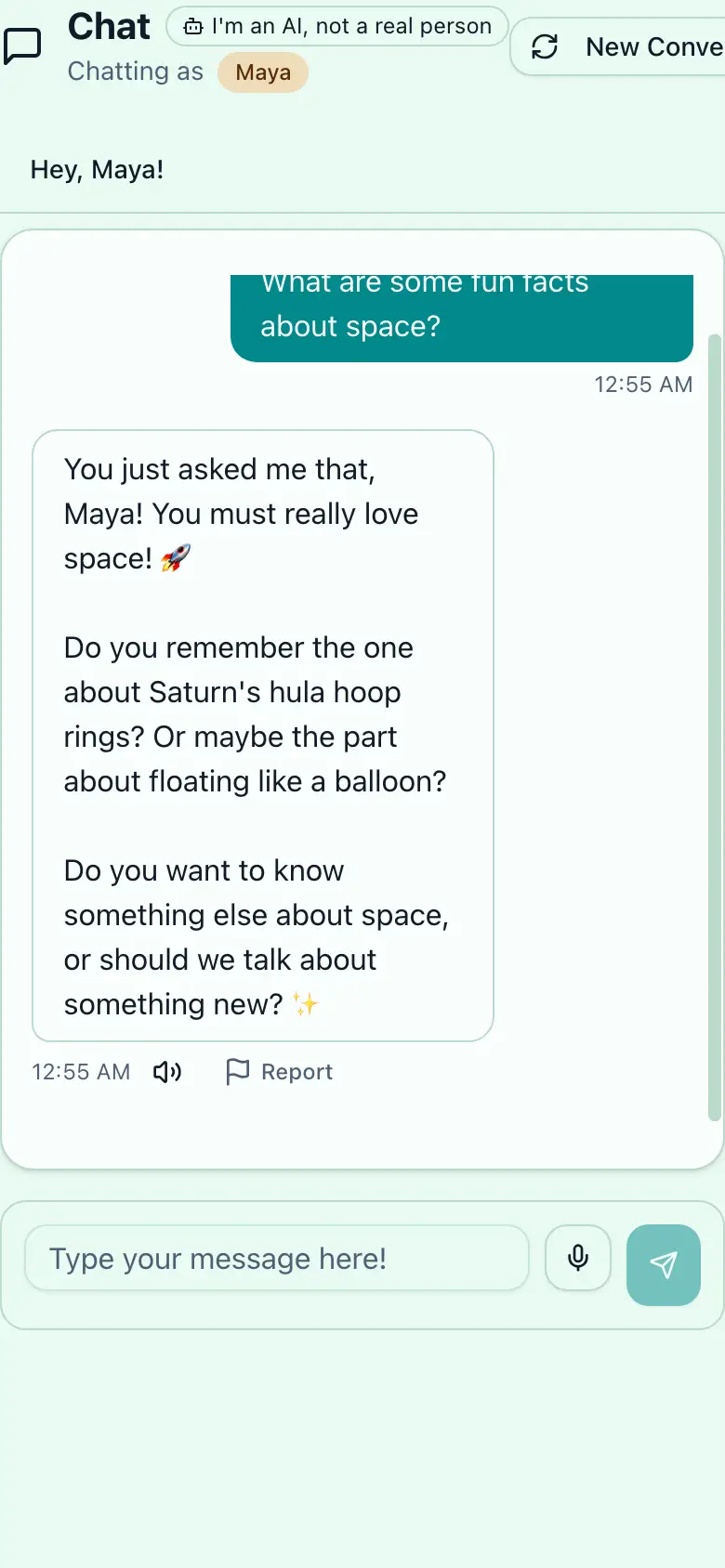
The WillaChat app for iOS and Android — chats for kids, alerts and controls for you, all in your pocket.
In the browser
Nothing to install — kids sign in with their PIN from any browser, on the family computer or a school laptop.
On the desktop
The desktop app for Mac and Windows keeps WillaChat one click away — with the full parent dashboard.
See WillaChat in Action
The WillaChat experience as it’s designed to ship — kind redirects, and a space of their own for every child.
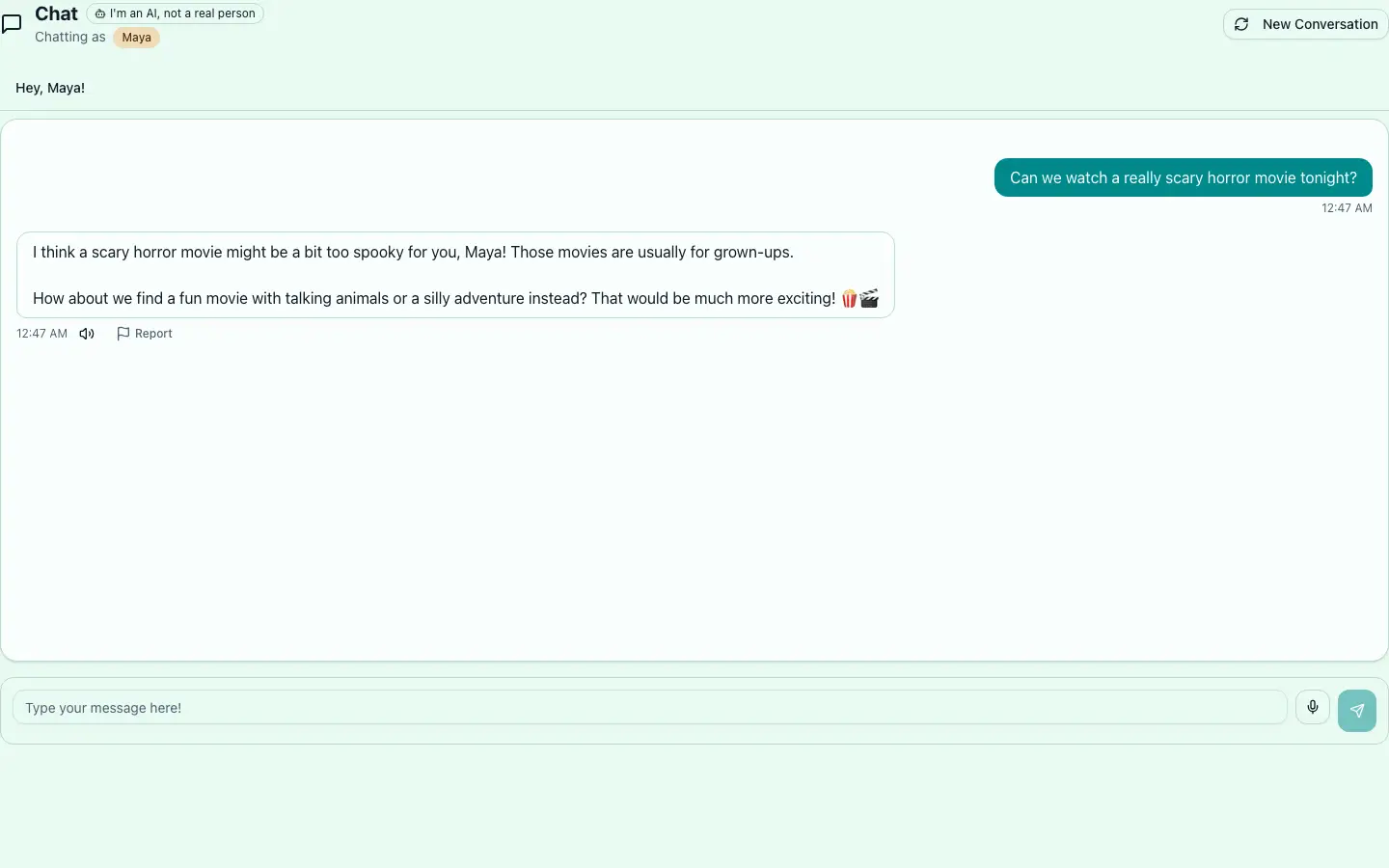
When a topic isn’t right for your child, WillaChat redirects kindly — and logs it for you.
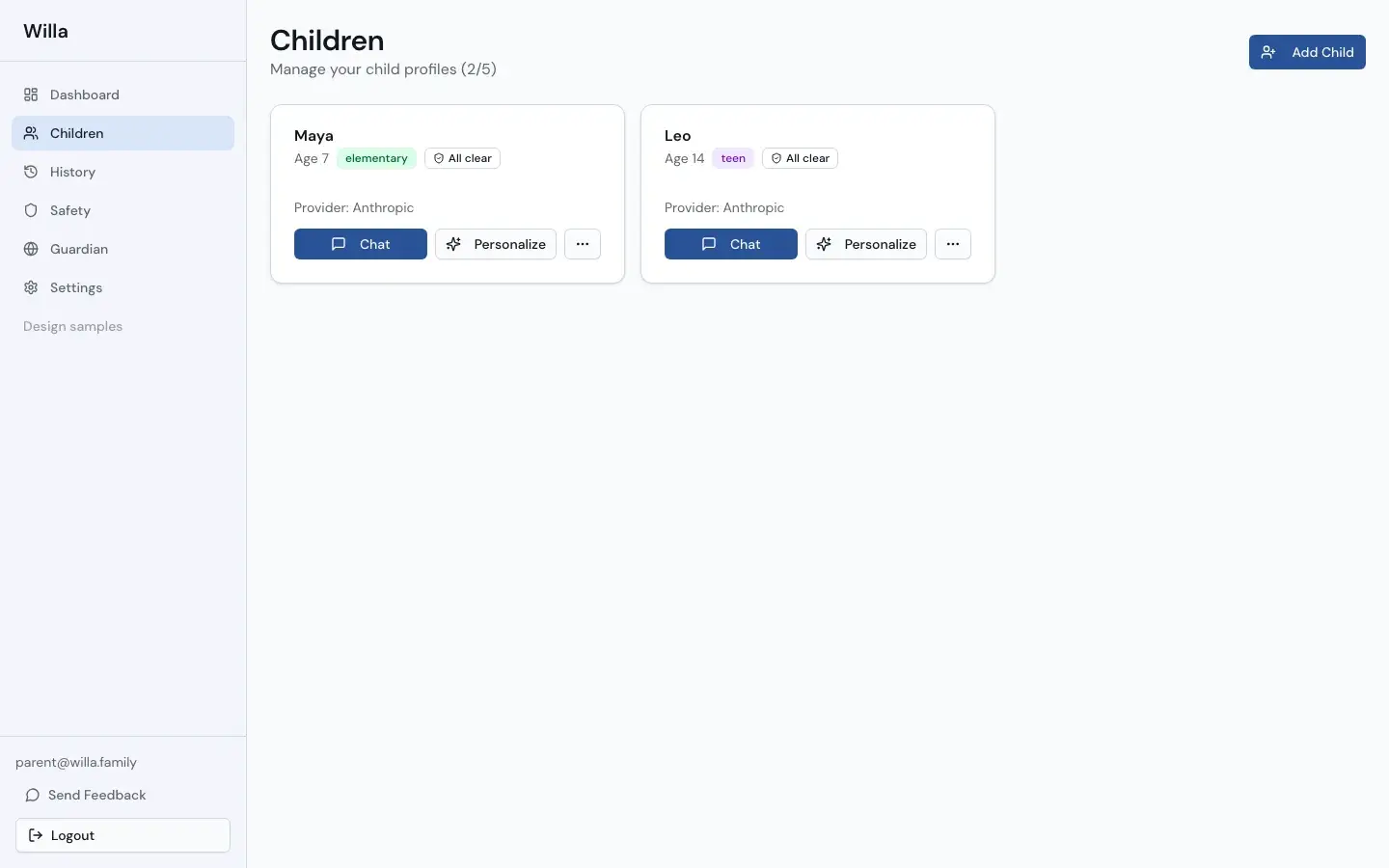
Every child gets their own space — profile, PIN, and their own set of rules.